
Teacher guide 1 of 2
How to join Hunarzai as a teacher
Six short steps, about 10 minutes. Have your CNIC and a short sample lesson ready.
- 1
Open the teacher page
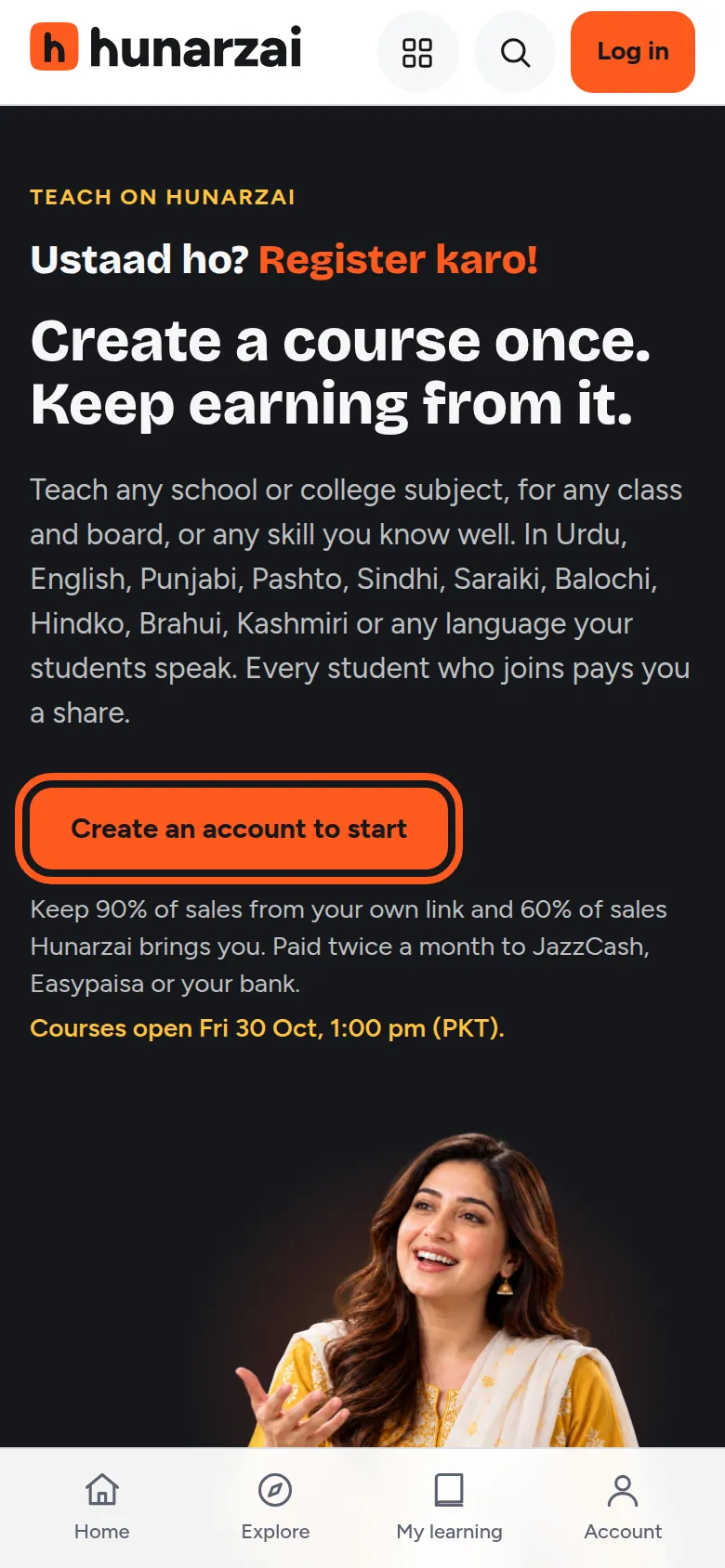
Go to hunarzai.com/teach and tap Create an account to start. Joining is free: there’s no registration fee.
- 2
Create your free account
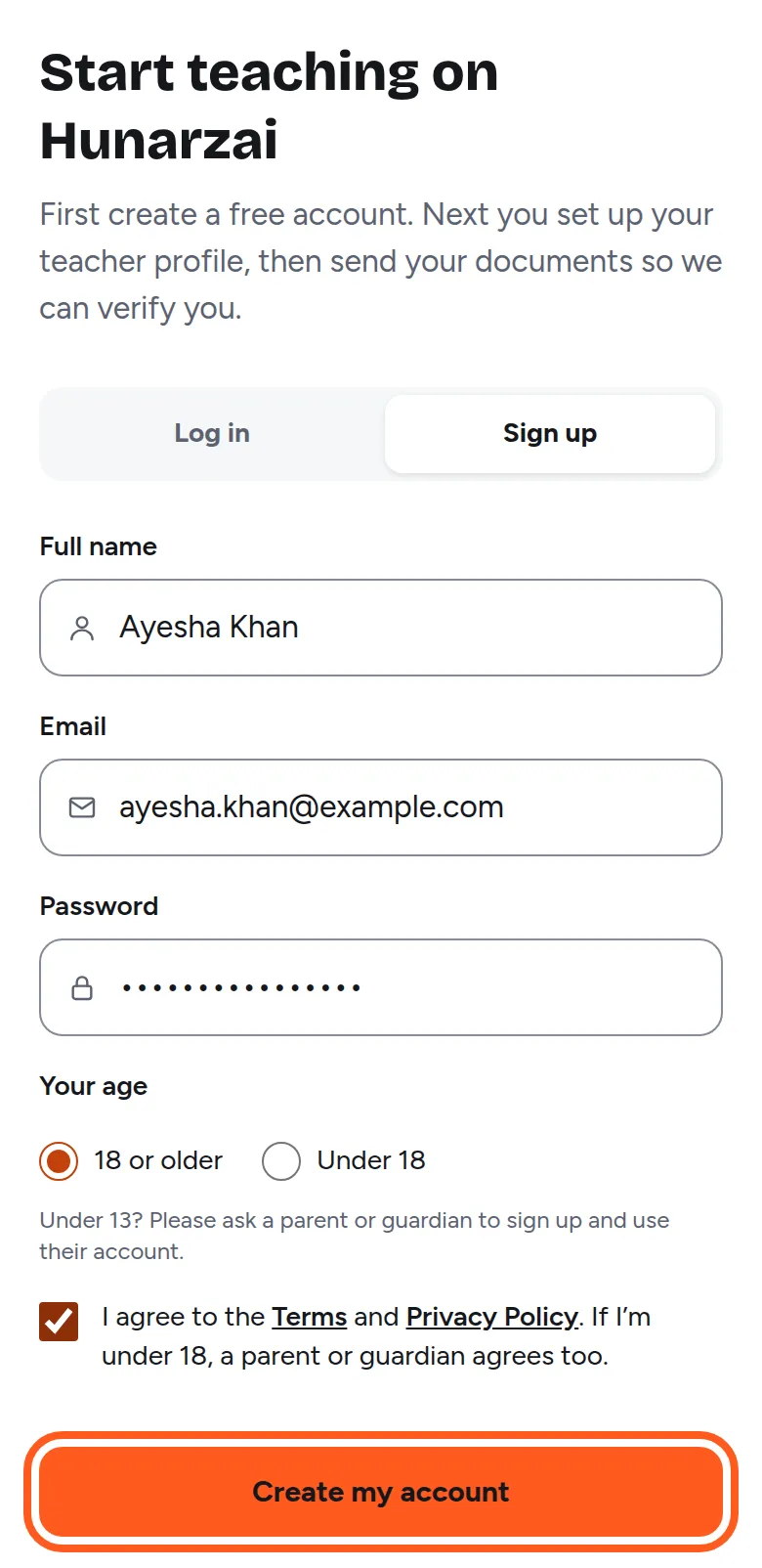
Fill in:
- Full name: your real name.
- Email: one you can open now. We send a confirmation link to it.
- Password: at least 8 characters.
- Your age: choose the option that’s true for you.
Tick that you agree to the Terms and Privacy Policy, then tap Create my account. If you see Continue with Google, you can use that instead.
- 3
Confirm your email
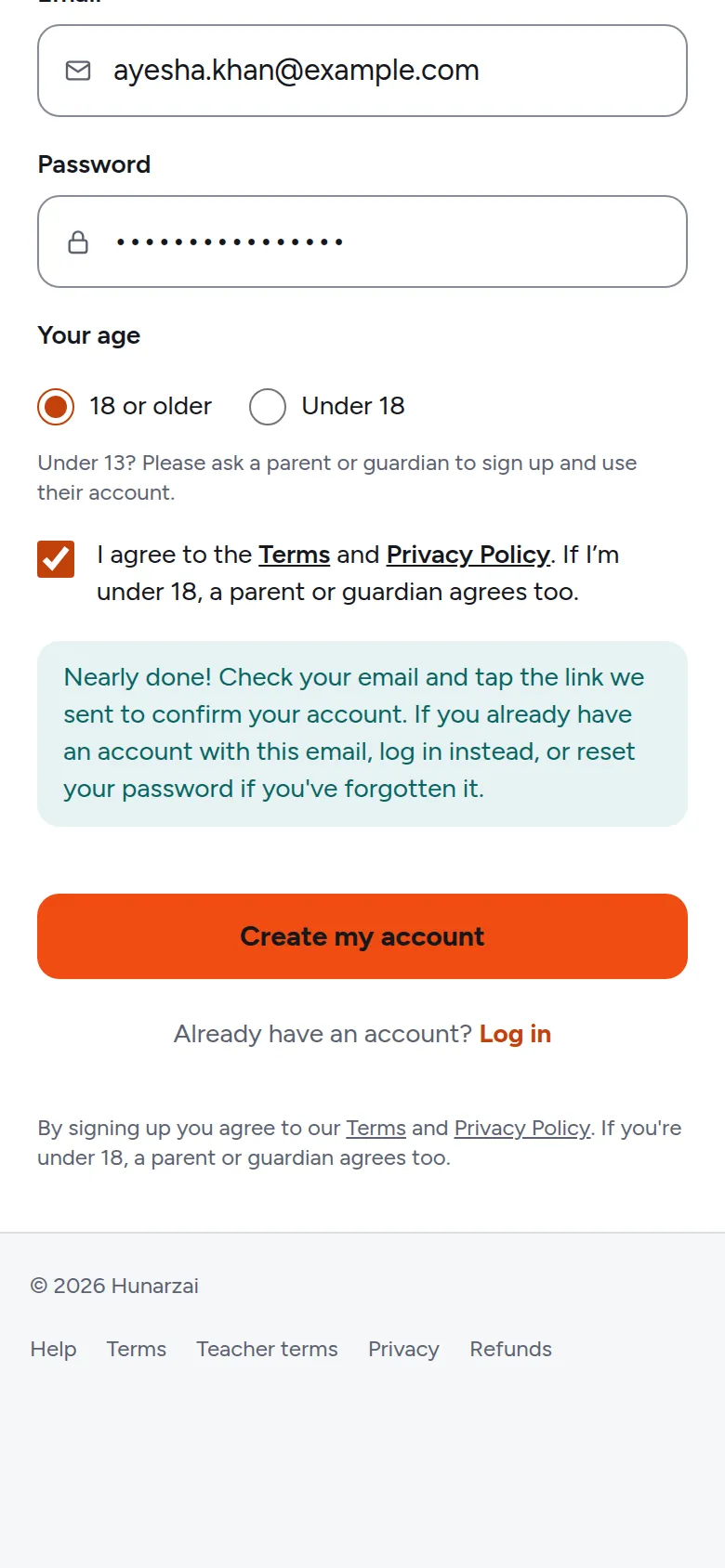
You’ll see a message asking you to check your email. Open the email from Hunarzai and tap Confirm my email. If it isn’t in your inbox after a few minutes, look in Spam or Promotions.
Use the same phone or computer to open the link, and keep this page open until you've confirmed.
- 4
Set up your teacher profile
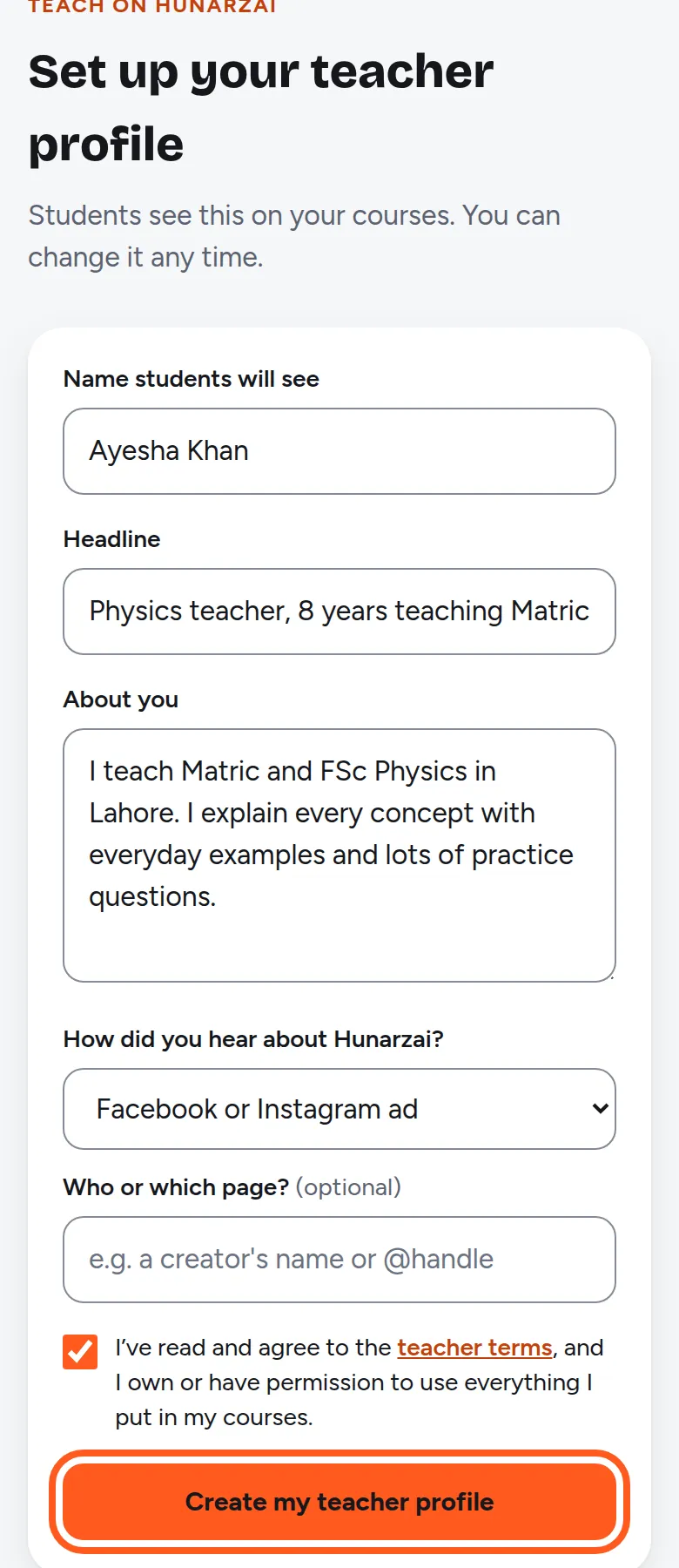
Students see this on your courses, and you can change it any time.
- Name students will see: for example “Sir Usman Ali” or “Ayesha Khan”.
- Headline: one line about what you teach, for example “Physics teacher, 8 years teaching FSc”.
- About you: your experience and why students learn well with you.
Tick that you agree to the teacher terms, then tap Create my teacher profile.
- 5
Get verified
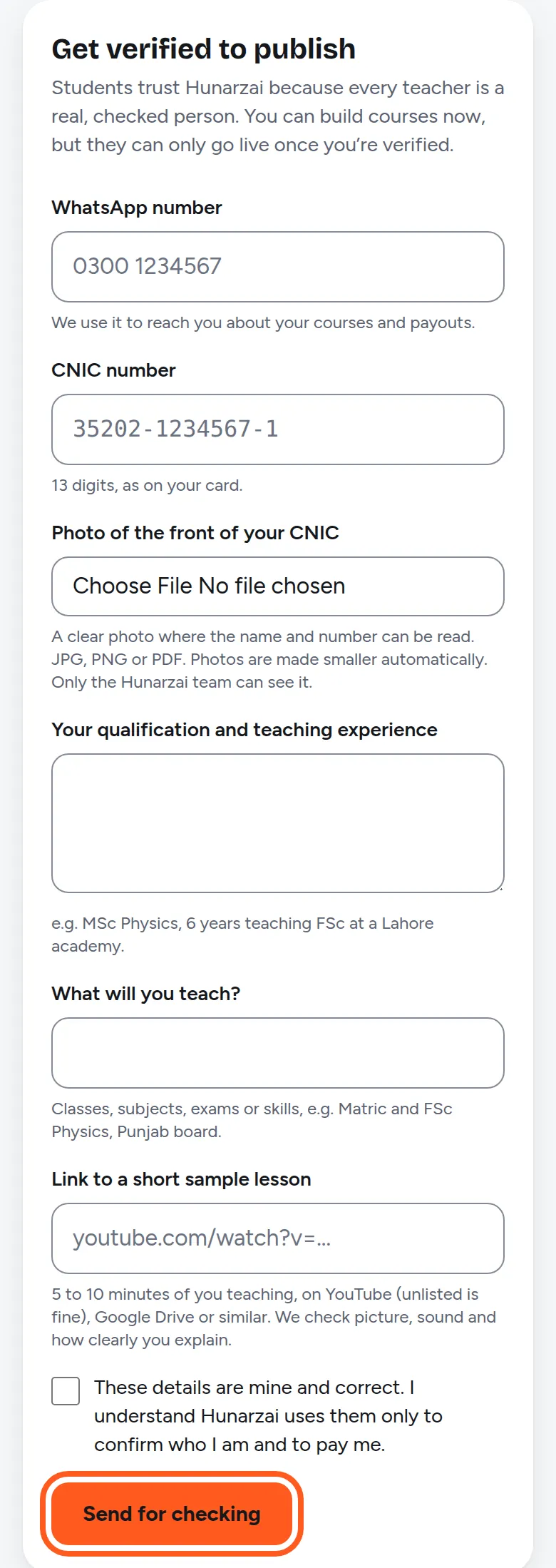
Your dashboard opens. Tap Get verified and send:
- your CNIC number and a clear photo of the front of your CNIC
- your WhatsApp number
- your qualification and teaching experience, and what you’ll teach
- a link to a short sample lesson (5 to 10 minutes of you teaching, for example an unlisted YouTube video)
Tap Send for checking. We usually check your details within 2 working days and email you. You can start making your course while you wait.
Only send your CNIC inside your Hunarzai dashboard. Hunarzai never asks for it on WhatsApp, Messenger or by email.
- 6
Add where to pay you
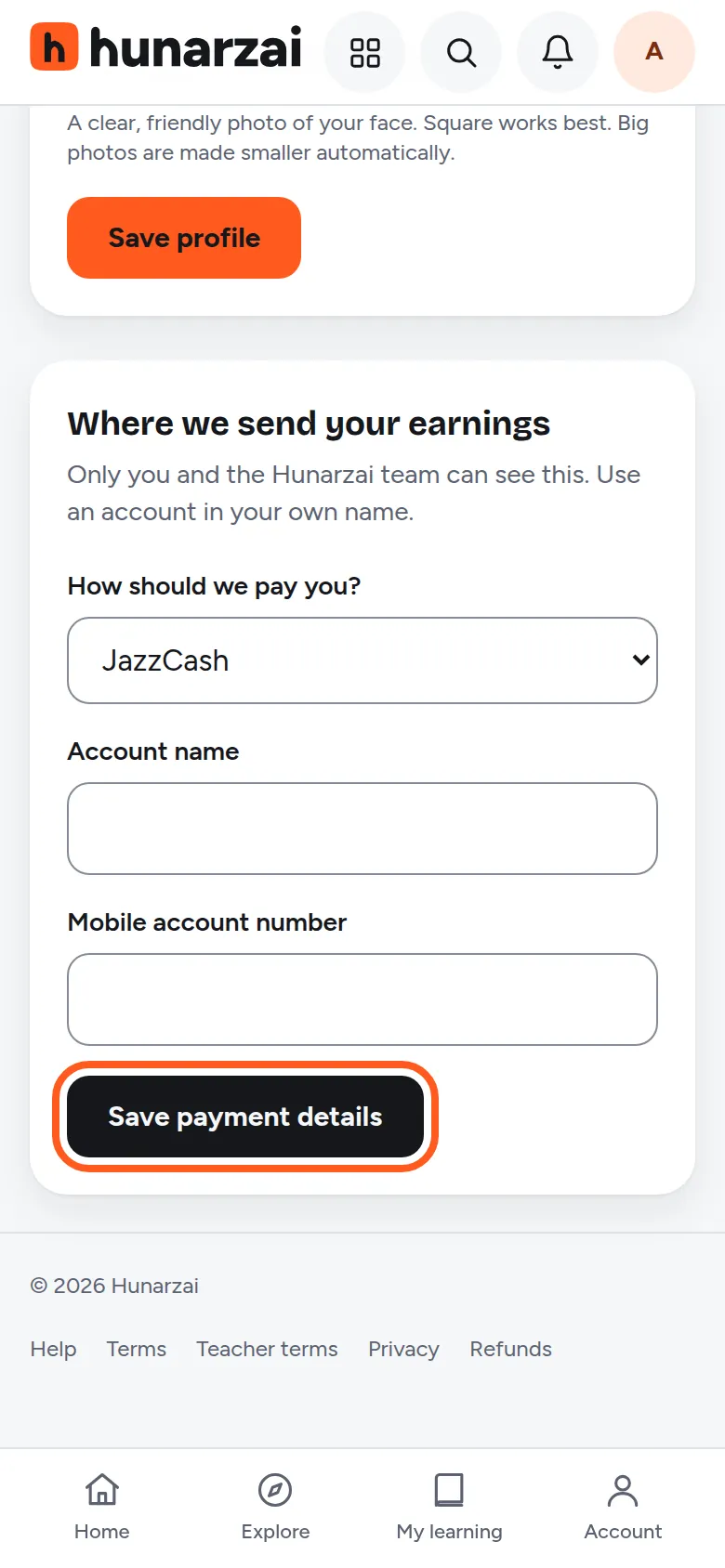
Open Profile and fill in Where we send your earnings: JazzCash, Easypaisa or bank transfer, in an account in your own name. Tap Save payment details. We pay twice a month, on the 1st and the 15th, once a sale has passed its 30-day refund hold and you're owed at least PKR 1,000.
Next: create your first course
Course details, lessons and videos, then send it for review.
Stuck on a step? Open a help request or use the contact page.