
Teacher guide 2 of 2
How to create your course on Hunarzai
From a new course to sending it for review. Short courses that teach one thing well are easier to finish and easier to sell.
Not a Hunarzai teacher yet? Start with guide 1: how to join.
- 1
Start a new course
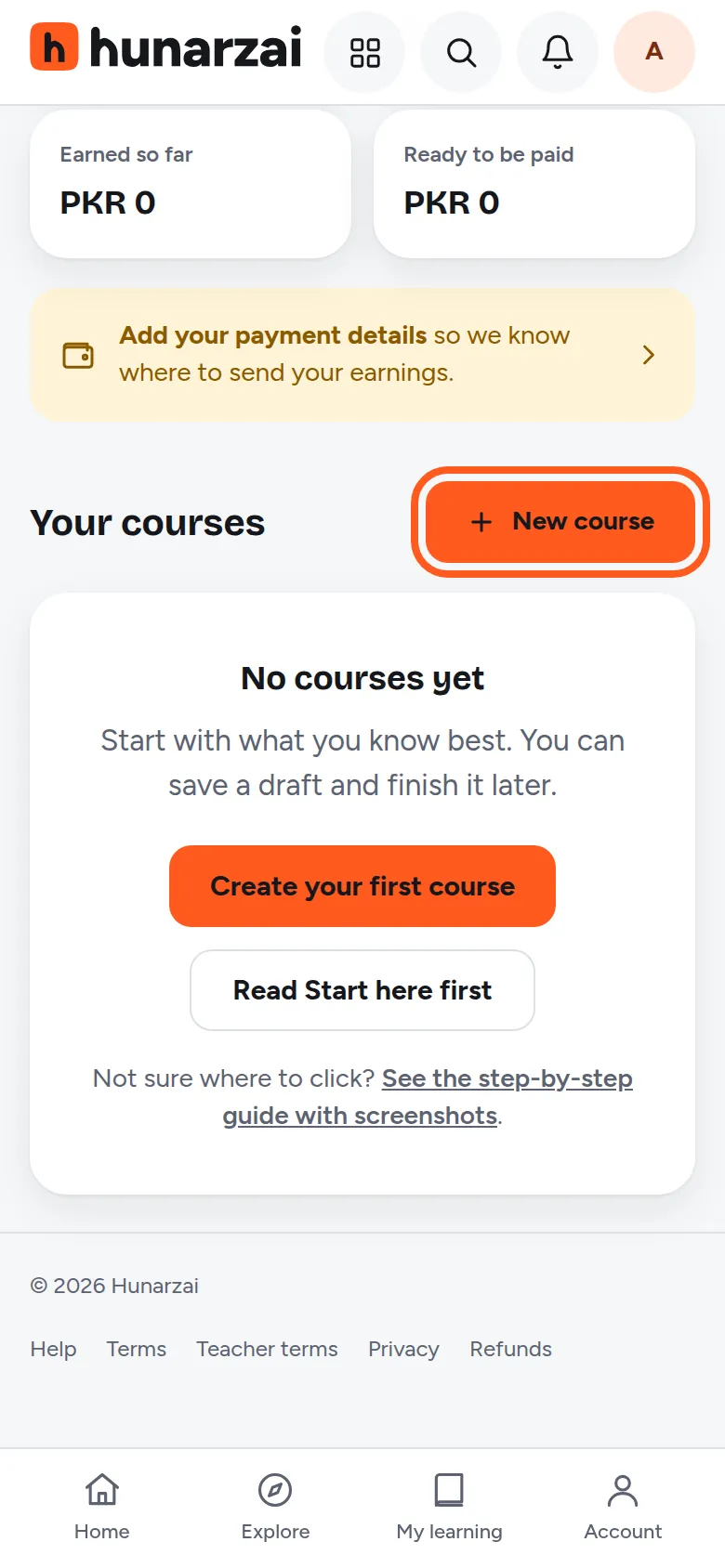
Log in and open your teacher dashboard. Under Your courses, tap New course. Only you can see the course until you send it for review and we approve it.
- 2
Fill in the course details
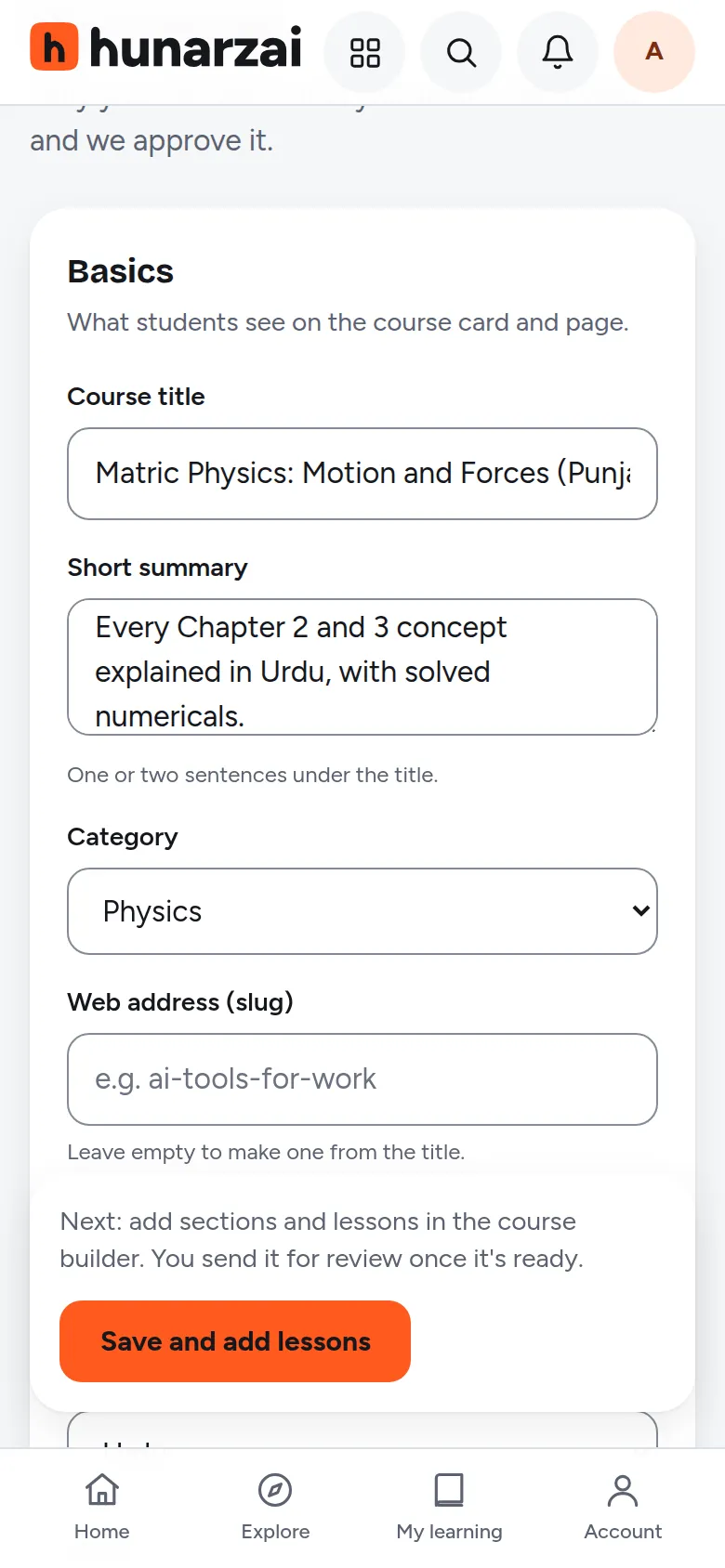
- Course title and Short summary: say exactly what students will learn, for example “Matric Physics: Motion and Forces (Punjab Board)”.
- Category, Course type (Recorded, Live classes or Hybrid), Language and Level.
- For school and college courses, choose the Class or exam and the Board.
- 3
Set the fee and describe the course
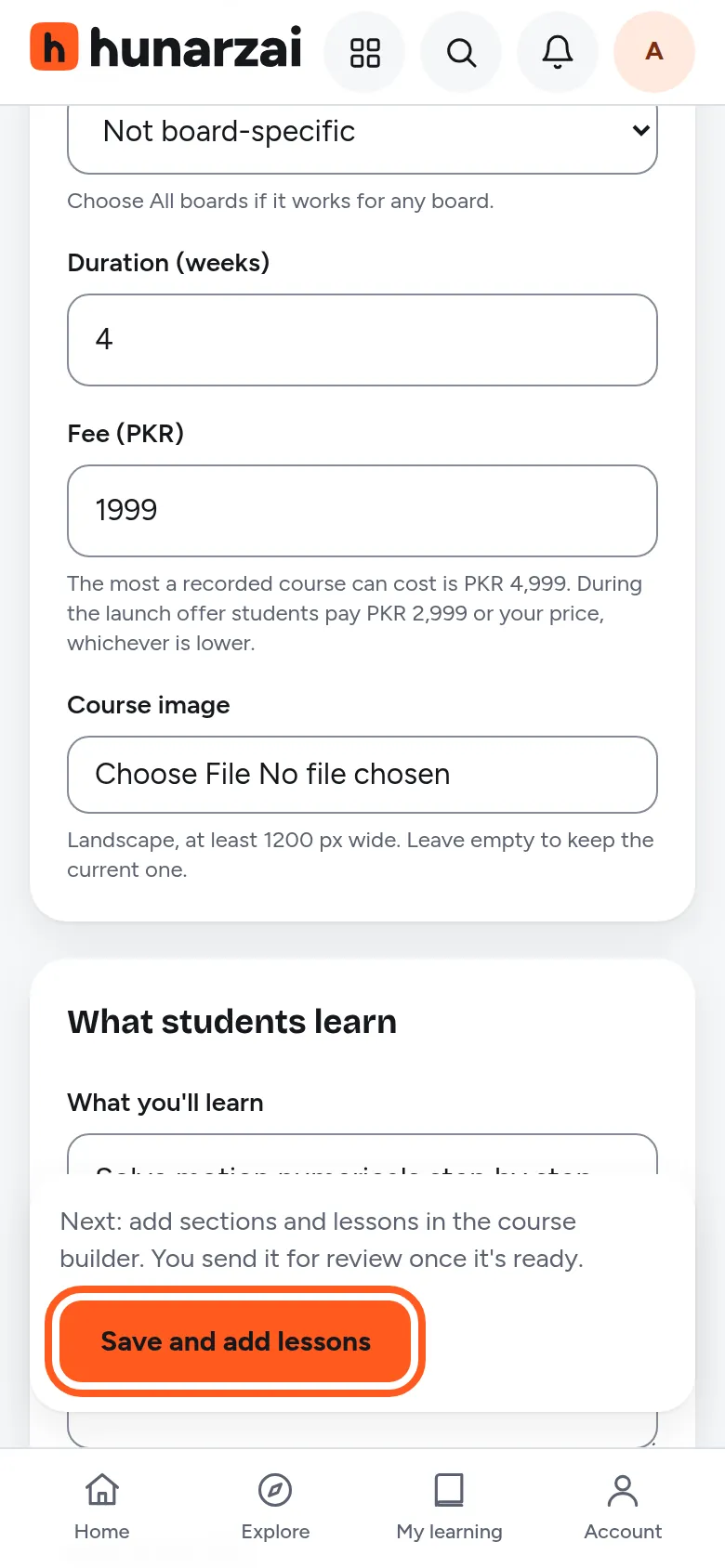
Fee (PKR): you choose the price, up to the cap for your course type:
- Recorded courses: up to PKR 4,999 (launch price PKR 2,999)
- Live courses: up to PKR 9,999 (launch price PKR 7,999)
- Hybrid courses: up to PKR 7,999 (launch price PKR 4,999)
Add a Course image (landscape, at least 1200 px wide), at least 3 points under What you’ll learn, and a Full description of at least 200 characters. Then tap Save and add lessons.
- 4
Add sections and lessons
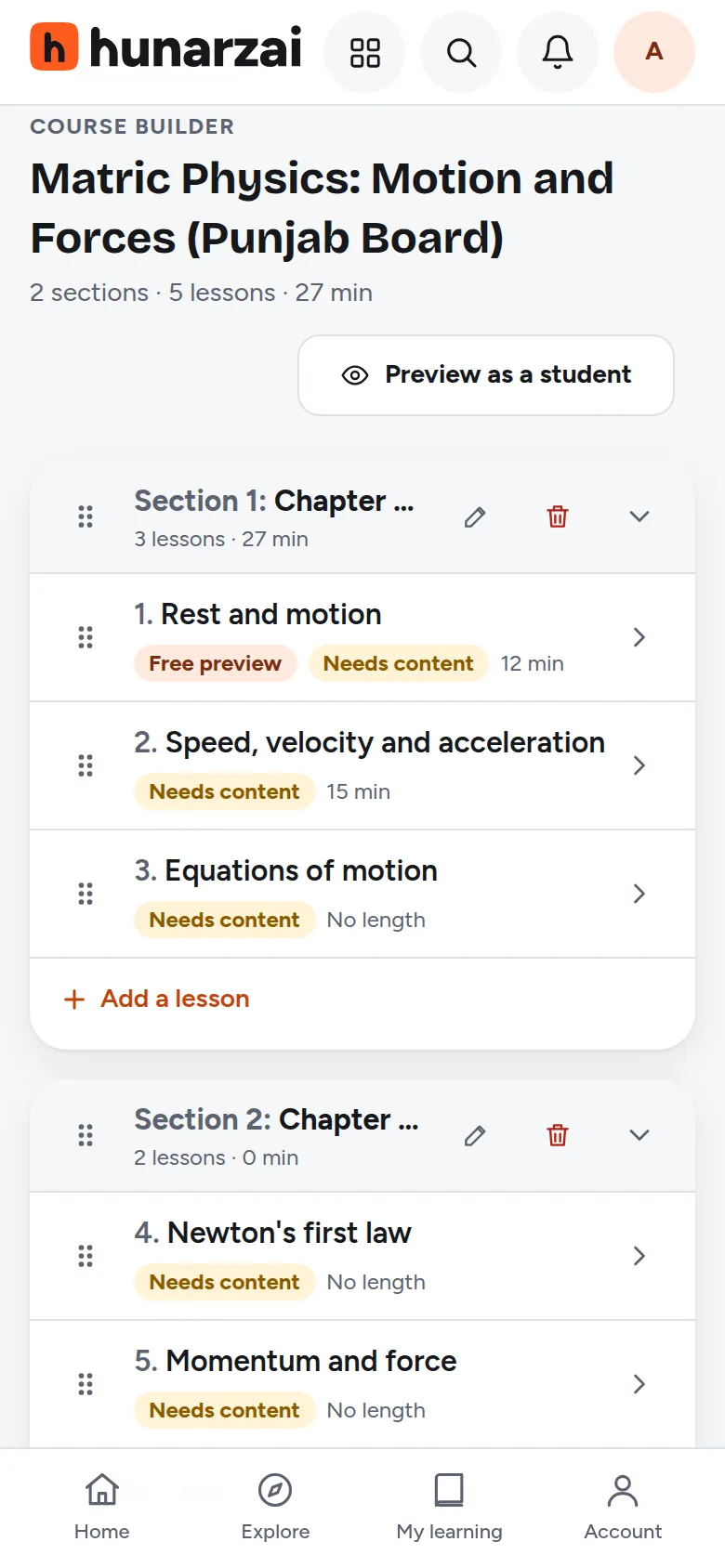
The course builder opens (later, reach it with the Curriculum button on your course). Type a section title (for example “Chapter 1: Motion”) and tap Add section. Inside each section, type a lesson title and tap Add lesson. You can drag lessons to change the order. Aim for at least 8 lessons and 60 minutes of teaching in total.
- 5
Add a video or notes to every lesson
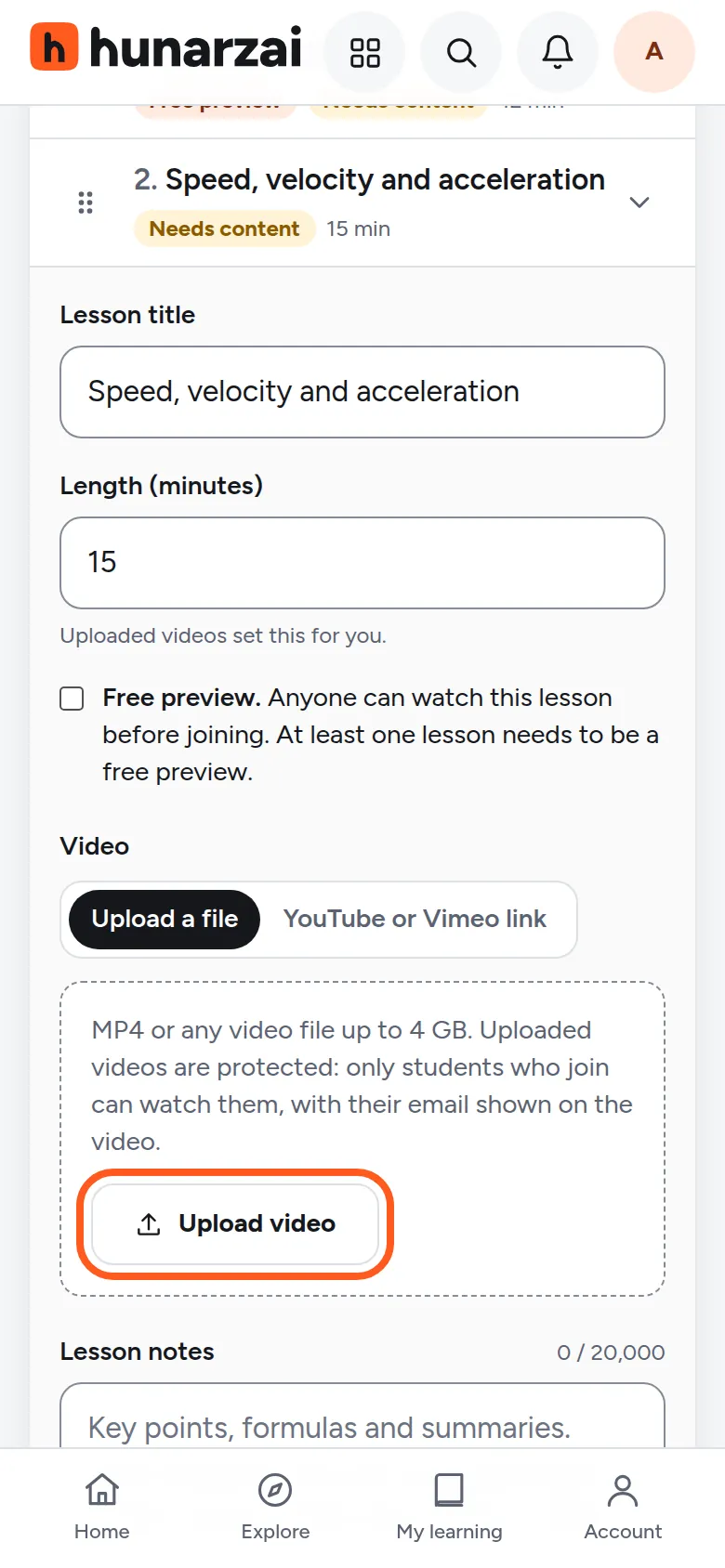
Tap a lesson to open it. Each lesson needs at least one of: a video, written notes, a practice quiz or a file (such as a PDF worksheet).
- Upload video: keep the page open until it reaches 100%. Uploaded videos set the lesson length for you and only students who join can watch them.
- Or paste a YouTube or Vimeo link (upload it as Unlisted) and fill in Length (minutes).
- Tick Free preview on at least 1 lesson, so students can see how you teach before they pay.
Record in a quiet room with light in front of you. Clear sound matters more than a fancy camera.
- 6
Send it for review
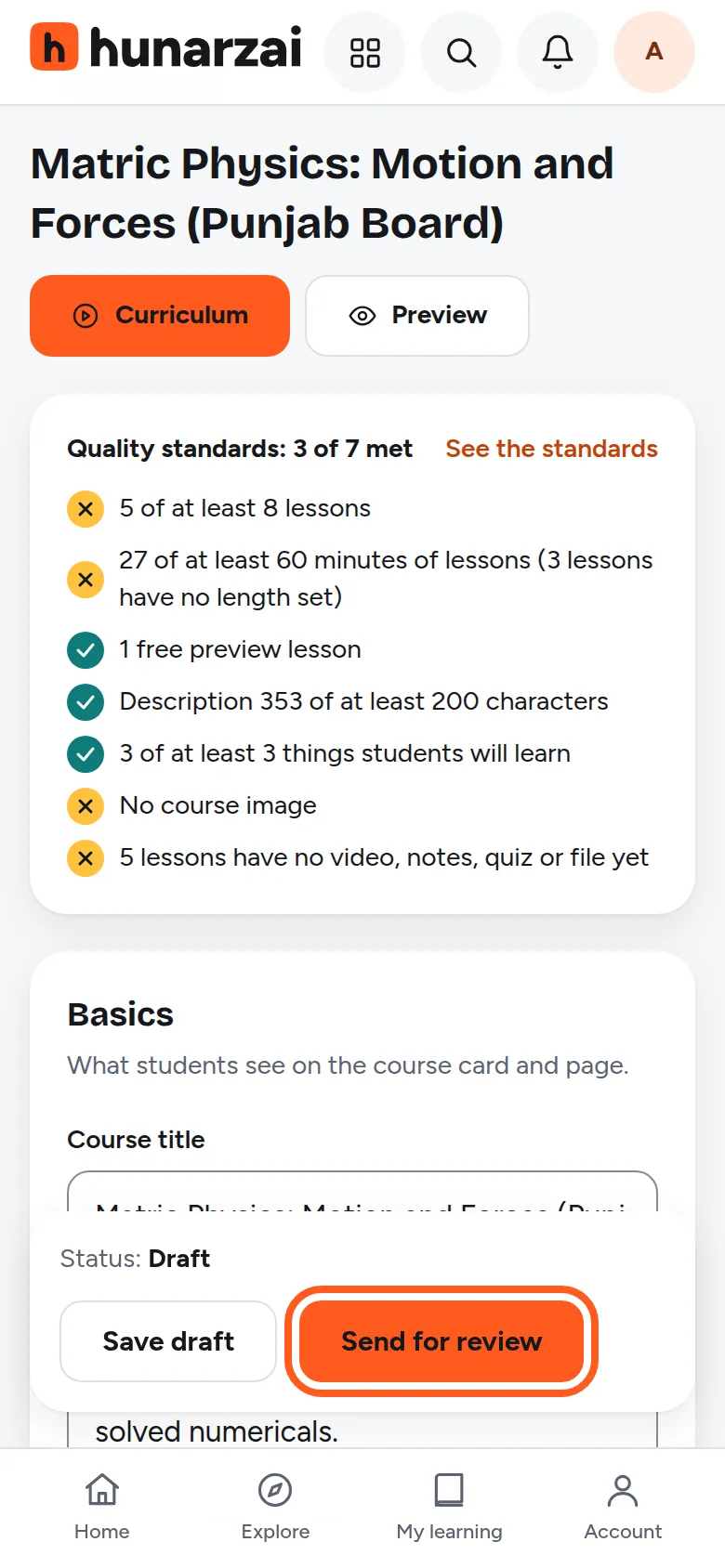
Open your course from the dashboard and tap Send for review at the bottom. If anything is missing, you’ll see exactly what to add, and the course stays a draft. You need to have sent your details for checking first (guide 1, step 5).
We check every course against the course quality standards and email you. If we ask for changes, the course shows Needs changes with our note; fix it and send it again.
- 7
Share your own link
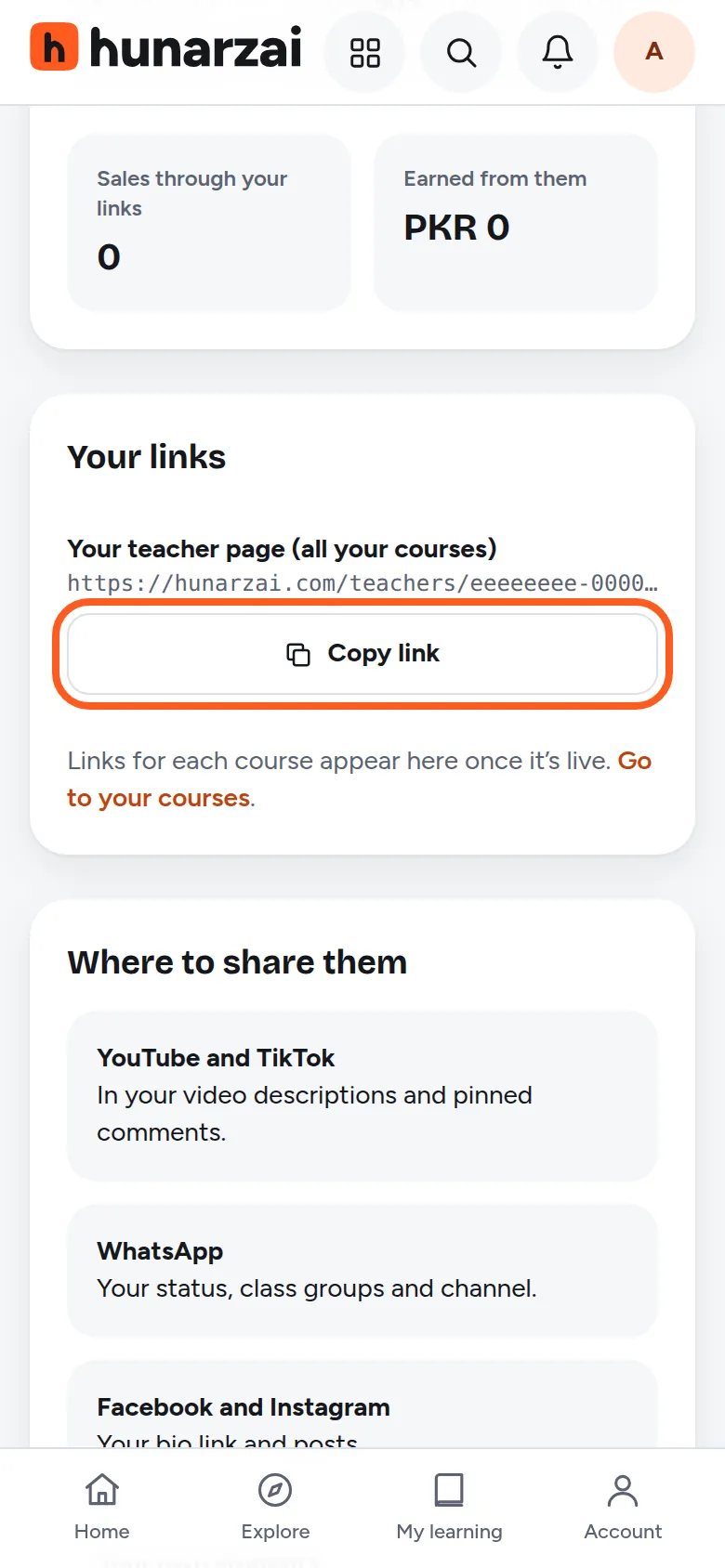
Once your course is live, open Your links in your dashboard and share your teacher link on WhatsApp, Facebook and with your students. You keep 90% of every sale from your own link and 60% of sales Hunarzai brings you.
Teaching live classes?
Choose Live classes or Hybrid as the course type, then use Live classes on the course page to schedule each class with its Zoom, Google Meet or Microsoft Teams link. Only students who join see the link.
Stuck on a step? Open a help request or use the contact page.